How to Manage Event Sponsors, Booth Pricing, and Attendee Navigation on Interactive Maps
From sponsor pitch decks to a live attendee festival guide: learn how to map booth boundaries, pricing tiers, and stage proximity, and help participants discover brands effortlessly.
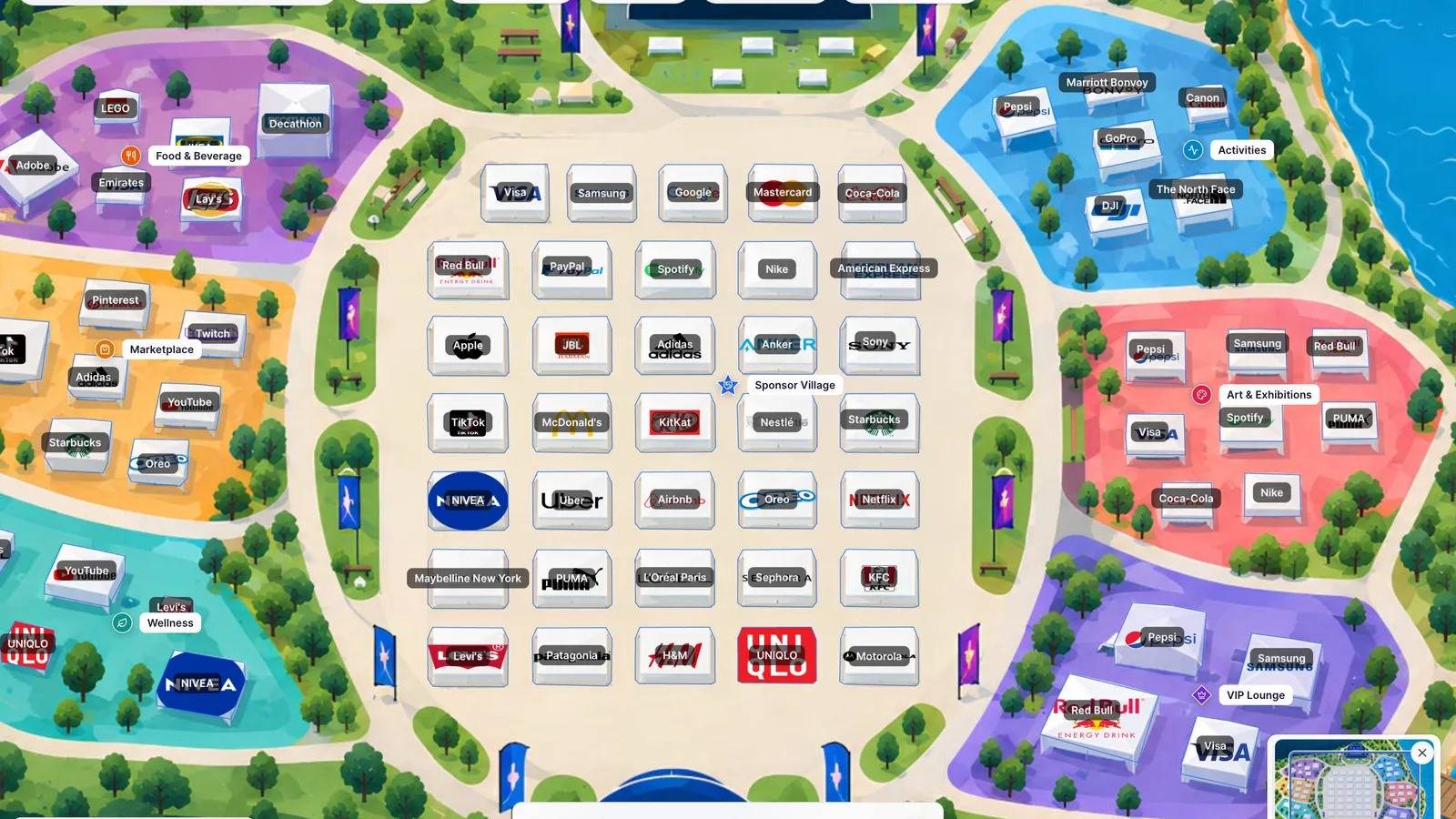
The dual challenge: selling sponsor inventory and guiding festival attendees
Organizing large-scale music festivals, expos, and community events involves two demanding groups: commercial sponsors who fund the production, and thousands of attendees who navigate the grounds in real time.
Traditional workflows rely on static PDF decks for brand sales and paper leaflets for visitors. Brand managers struggle to gauge real foot traffic or stage proximity from a flat PDF, while attendees squint at static printouts trying to find a food stall or phone charging station in a crowded field.
A modern interactive map bridges both worlds. With Layerpin, event planners build a single living canvas that starts as a sponsor inventory management tool and evolves into the official, mobile-friendly attendee navigator on festival weekend. Explore the River Beats Festival live demo to see this workflow in action.
Manage booth positions, pricing tiers, and inventory with polygon boundaries
The most common mistake on event maps is placing identical circular pins over a grid of sponsor tents. Pins obscure tent roofs, hide neighboring brands, and fail to reflect whether a sponsor purchased a 10×10 standard tent or an expansive 40×40 experiential activation.
Instead, trace each booth's physical perimeter using 4-corner polygon or rectangle shapes. Give them a subtle semi-transparent fill (12% to 20%) with a contrasting border. This keeps your custom festival artwork, paths, and trees legible while turning every booth footprint into a clean, clickable zone.
Attach structured custom fields to each shape: Sponsorship Tier (Headline Partner, Main Stage Gold, Sponsor Village Silver), Price / Rate Card, Included Deliverables (power drops, badge allocations, banner placements), and Status (Available, Under Discussion, Confirmed). Organizers can track booth inventory at a glance without juggling disconnected spreadsheets.
- 1Trace actual tent perimeters using polygon or rectangle shapes aligned to your festival grid.
- 2Configure subtle fill opacity and contrasting borders to maintain clear underlying map artwork.
- 3Add structured custom fields for sponsorship tier, price, activation ideas, and booking status.
- 4Group booths by zone (e.g., Central Sponsor Village, Food & Beverage, Marketplace, VIP Lounge).
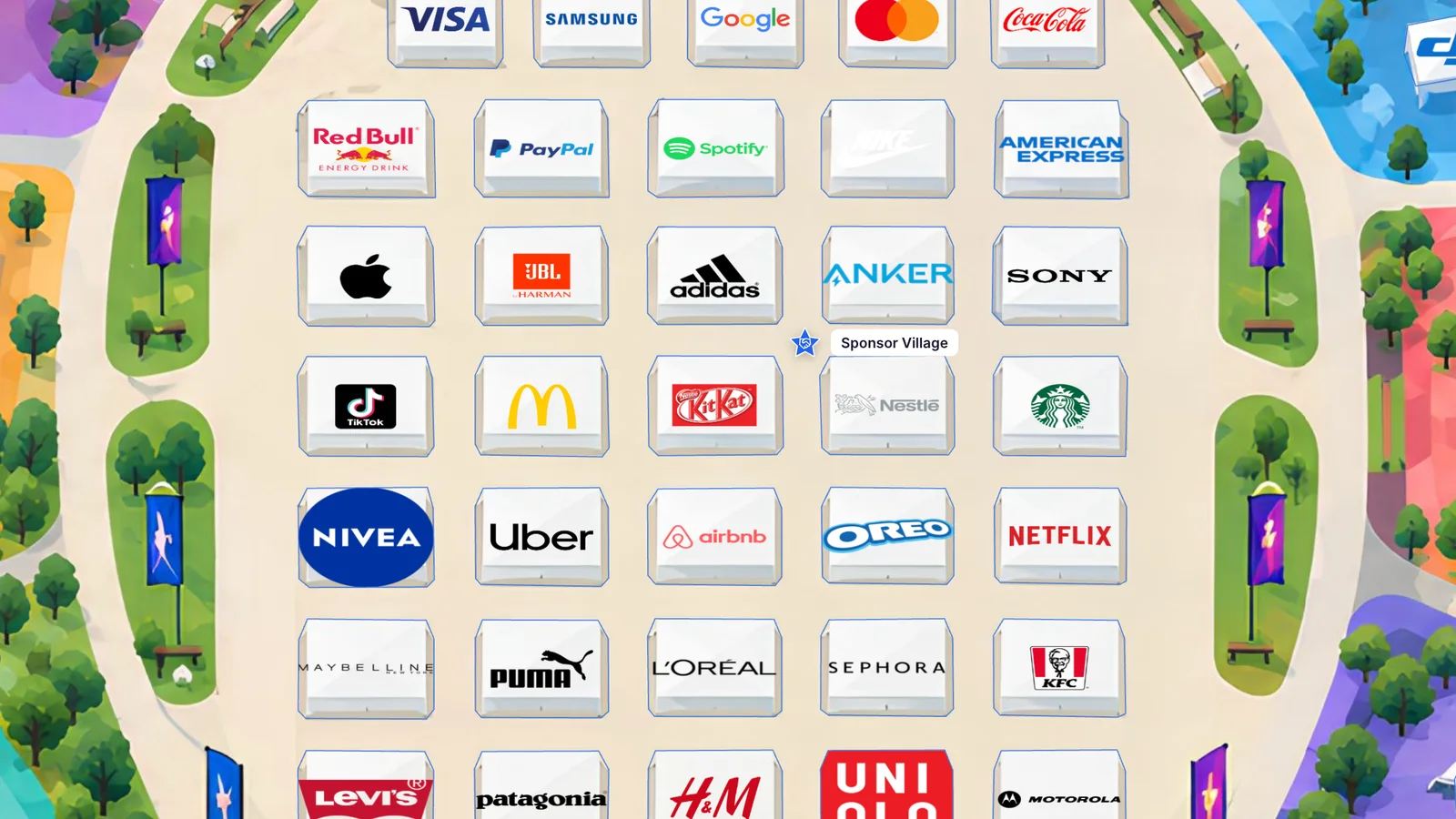
Accurate real-stage positioning: giving sponsors full visibility for the next event
When brand managers evaluate high-dollar event packages, their primary questions revolve around spatial context: How close is our booth to the Main Stage? What is the walking path from the entrance? Are we isolated from food courts or right in the high-traffic corridor?
An interactive map answers these questions immediately. Planners can share private, unlisted review links with prospective sponsors during pitch negotiations. Brand decision-makers can inspect sightlines to stages, calculate distances, and review activation concepts directly in high-resolution deep zoom.
Equip prospective booth cards with rich media: upload photos of past brand activations, link 3D walk-throughs, and include a direct “Inquire About Booth” or “Reserve Placement” button connected to your sales team's calendar or CRM.
- 1Position sponsor booths relative to stages, main entrances, restrooms, and dining hubs.
- 2Share unlisted map links with brand managers so they can inspect foot traffic circulation.
- 3Add past activation photos, power/AV specs, and pricing directly inside the booth info card.
- 4Embed direct call-to-action buttons for rapid sales inquiries and booth reservation.
The seamless hand-off: turning the sales layout into the live attendee navigator
Once contracts are signed and festival week arrives, the same map seamlessly transitions into the attendee navigation guide without starting from scratch. Simply update confirmed brand logos, activation schedules, and public-facing descriptions.
Set up multi-dimensional filters that cater to attendee needs: visitors can filter by Area (Main Stage, Sponsor Village, Food & Beverage, Wellness, Activities, VIP Lounge), Visitor Interest, and Industry. An attendee looking for coffee or merchandise can toggle that filter to highlight exact vendor tents across the festival grounds.
Layerpin's instant search bar allows visitors to type keywords like “charging”, “vegan”, “sunglasses”, or specific brands like “Nike” or “Spotify” to instantly pan and zoom to the matching location. On mobile devices, cards open as smooth bottom-sheet drawers, giving attendees quick access to menus, schedules, and special festival perks without leaving the map.
- 1Switch booth cards to attendee-facing content: brand logos, activation hours, menus, and giveaways.
- 2Configure intuitive filters for areas, visitor interests, dining options, and partner types.
- 3Enable instant search for rapid keyword and brand discovery on mobile screens.
- 4Test the mobile bottom drawer view to ensure one-handed usability in outdoor festival conditions.
Unlock more Layerpin capabilities: global languages, live updates, and view analytics
Festivals and expos attract global visitors. Layerpin supports multilingual maps in languages such as French, Spanish, Portuguese, Vietnamese, Simplified Chinese, and Japanese. Using Pinny AI, you can translate filter categories, booth descriptions, and service details while preserving global trademarked brand names like Visa, Samsung, and Coca-Cola.
Events are unpredictable: a vendor might swap locations on Saturday morning, or a stage schedule might adjust due to weather. With Layerpin's instant publishing, updates reflect immediately across all embedded websites, mobile apps, and printed QR codes without breaking links or forcing visitors to download new app updates.
After the event wraps up, leverage Layerpin's built-in Audience Analytics. Share view metrics, popular search terms, and booth engagement data with your sponsors as concrete proof of performance, laying the groundwork for effortless renewals for next year's event.
- 1Enable target visitor languages and translate descriptions while preserving brand names.
- 2Publish real-time schedule or booth adjustments with zero downtime across QR codes and embeds.
- 3Share deep links to specific booths or pre-filtered views across festival social media channels.
- 4Review post-event Audience Analytics to demonstrate tangible attendee engagement to sponsors.

Ready to build an interactive map?
Build the map privately, review it in the visitor view, then publish when it is ready to share. No credit card needed.
Start building for free